> ## Documentation Index
> Fetch the complete documentation index at: https://docs.sqd.dev/llms.txt
> Use this file to discover all available pages before exploring further.
# Choosing Your SQD Tool
> Compare the Portal API, Pipes SDK, and Squid SDK to choose the right SQD blockchain indexing tool — features, complexity, and use-case fit.
This guide helps you understand the differences between SQD's three offerings and choose the right tool for your project.
## Overview: Three Ways to Access Blockchain Data
SQD provides three tools for working with blockchain data, each serving different use cases:
1. **Portal API** - Direct HTTP access to raw blockchain data
2. **Pipes SDK** - Lightweight streaming library for custom data pipelines
3. **Squid SDK** - Complete framework with built-in PostgreSQL and GraphQL
## How They Work Together
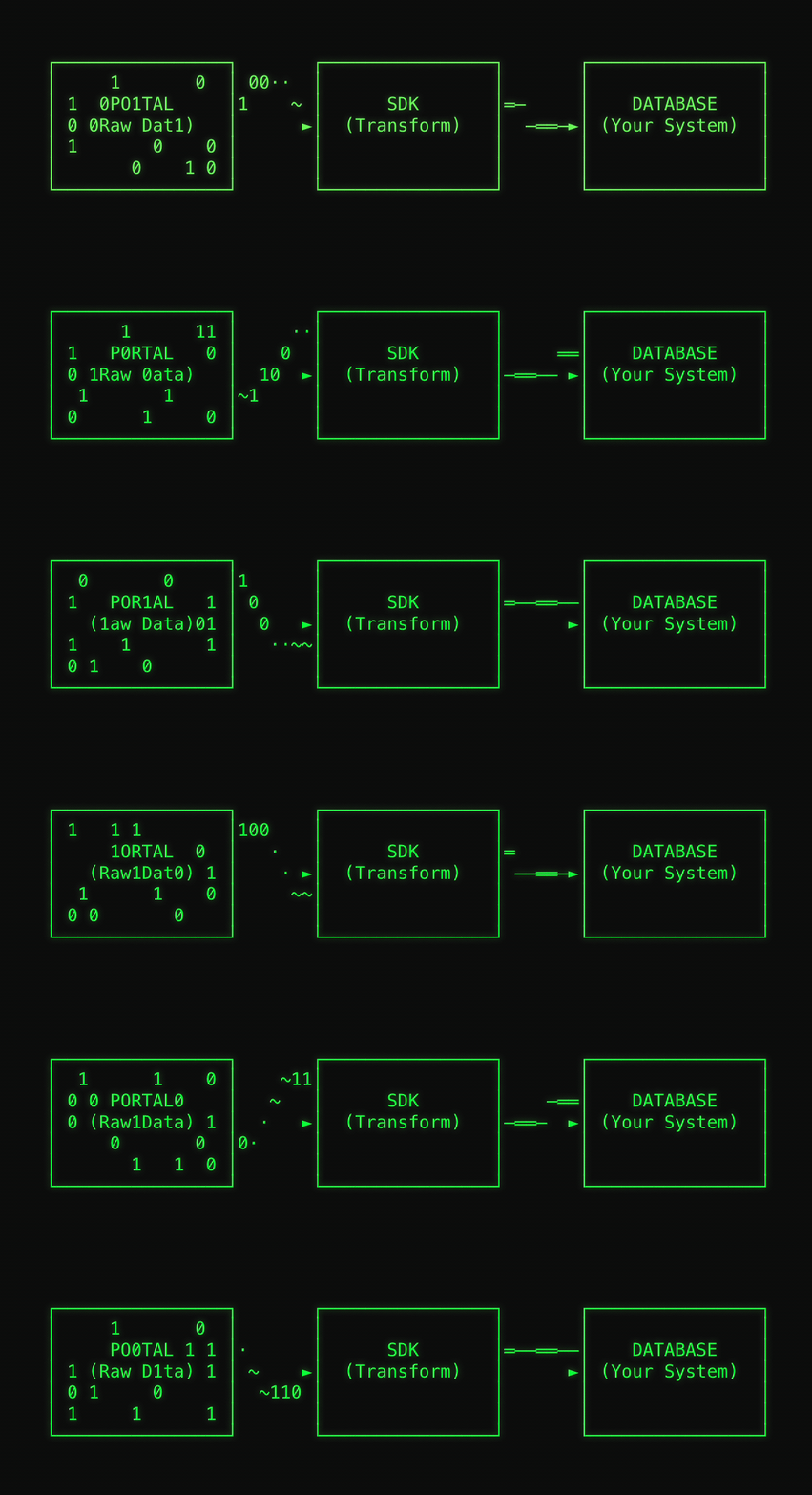 * **Portal** provides the raw blockchain data through HTTP API
* **SDKs** (Pipes and Squid) use Portal as their data source and add:
* Event and transaction decoding
* Type-safe data transformation
* Batch processing capabilities
* Database persistence
* Real-time data ingestion
Both SDKs use Portal under the hood. When you use an SDK, you're still
accessing blockchain data through Portal, the SDK just makes it easier to work
with.
## Raw API vs SDKs
Portal and SDKs serve different use cases in the blockchain data indexing pipeline.
### Portal: Direct Data Access
Portal provides raw blockchain data access through a simple HTTP API. You query specific blocks, transactions, logs, or traces and receive the raw data directly.
```bash Portal Query Example theme={"system"}
curl --compress -X POST "https://portal.sqd.dev/datasets/ethereum-mainnet/stream" \
-H 'Content-Type: application/json' \
-d '{
"type": "evm",
"fromBlock": 18000000,
"toBlock": 18001000,
"fields": {
"log": {
"address": true,
"topics": true,
"data": true
}
},
"logs": [{
"address": ["0xA0b86991c6218b36c1d19D4a2e9Eb0cE3606eB48"]
}]
}'
```
```python Portal Python Example theme={"system"}
import requests
import json
url = "https://portal.sqd.dev/datasets/ethereum-mainnet/stream"
response = requests.post(url, json={
"type": "evm",
"fromBlock": 18000000,
"toBlock": 18001000,
"fields": {"log": {"address": True, "topics": True}},
"logs": [{"address": ["0xA0b86991c6218b36c1d19D4a2e9Eb0cE3606eB48"]}]
})
for line in response.text.strip().split('\n'):
data = json.loads(line)
# Process raw blockchain data
```
### SDKs: Data Transformation Frameworks
SDKs (Pipes and Squid) build on top of Portal to provide data transformation, decoding, and persistence capabilities.
```typescript Pipes SDK Example theme={"system"}
import { createTarget } from "@subsquid/pipes";
import { evmPortalSource, EvmQueryBuilder } from "@subsquid/pipes/evm";
const queryBuilder = new EvmQueryBuilder()
.addFields({ block: { number: true, hash: true }, log: { data: true } })
.addLog({
request: { address: ["0xa0b86991c6218b36c1d19d4a2e9eb0ce3606eb48"] },
range: { from: 20000000, to: 20001000 }
});
const source = evmPortalSource({
portal: "https://portal.sqd.dev/datasets/ethereum-mainnet",
query: queryBuilder
});
const target = createTarget({
write: async ({ read }) => {
for await (const { data } of read()) {
// Transform and persist to your database
}
}
});
await source.pipeTo(target);
```
```typescript Squid SDK Example theme={"system"}
import { EvmBatchProcessor } from "@subsquid/evm-processor";
import { TypeormDatabase } from "@subsquid/typeorm-store";
const processor = new EvmBatchProcessor()
.setGateway("https://v2.archive.subsquid.io/network/ethereum-mainnet")
.addLog({
address: ["0xa0b86991c6218b36c1d19d4a2e9eb0ce3606eb48"],
topic0: [usdcAbi.events.Transfer.topic]
});
const db = new TypeormDatabase();
processor.run(db, async (ctx) => {
const transfers: Transfer[] = [];
for (let block of ctx.blocks) {
for (let log of block.logs) {
let { from, to, value } = usdcAbi.events.Transfer.decode(log);
transfers.push(new Transfer({ from, to, value }));
}
}
await ctx.store.insert(transfers);
});
```
### Detailed Comparison
| Aspect | Portal | SDKs (Pipes/Squid) |
| ----------------------- | --------------------------------------- | ---------------------------------------- |
| **Purpose** | Raw data retrieval | Data transformation and persistence |
| **Output** | Raw blockchain data (JSON) | Processed data in databases/APIs |
| **Performance** | 10-50x faster than RPC | Additional processing overhead |
| **Setup Complexity** | Minimal (HTTP requests only) | Project scaffolding, TypeScript required |
| **Data Decoding** | Manual (you handle ABI decoding) | Built-in ABI decoding |
| **Database** | Bring your own | PostgreSQL (Squid), custom (Pipes) |
| **GraphQL API** | Not included | Auto-generated (Squid only) |
| **Type Safety** | Limited (JSON responses) | Full TypeScript support |
| **State Management** | Manual | Built-in with fork handling |
| **Best For** | Analytics, data lakes, custom pipelines | dApps, APIs, traditional backends |
| **Languages Supported** | Any (HTTP API) | TypeScript |
| **Learning Curve** | Low (HTTP + your language) | Medium (TypeScript + framework concepts) |
### When to Use Portal
Stream raw data directly into analytics platforms like ClickHouse, BigQuery, or Snowflake
Build data pipelines in Python, Go, Rust, or any language with HTTP support
Populate data warehouses with raw blockchain data for long-term analysis
Quick experiments without setting up a full indexing framework
### When to Use SDKs
Build GraphQL APIs that power decentralized applications
Decode events, track relationships, and maintain state across blocks
Deploy scalable indexers with built-in monitoring and deployment tools
Leverage TypeScript for compile-time safety and better developer experience
## Pipes SDK vs Squid SDK
Both SDKs consume data from Portal but offer different levels of abstraction and flexibility.
### Architecture Differences
**Streaming Library Approach**
Pipes SDK is a lightweight streaming library that gives you maximum flexibility:
* You define the data flow using a pipe-and-target pattern
* You bring your own database and persistence logic
* You control exactly how data is processed and stored
* No CLI tools or scaffolding - integrate into existing projects
```typescript theme={"system"}
// Minimal setup - you control everything
const source = evmPortalSource({ portal: url, query });
const target = createTarget({ write: yourCustomLogic });
await source.pipeTo(target);
```
**Complete Framework Approach**
Squid SDK is a full-featured framework with built-in conventions:
* CLI tools for project scaffolding and management
* PostgreSQL database with automatic migrations
* Auto-generated GraphQL API from schema
* Built-in deployment tools for SQD Cloud
```typescript theme={"system"}
// Opinionated structure with built-in features
const processor = new EvmBatchProcessor()
.setGateway(url)
.addLog({ ... });
const db = new TypeormDatabase();
processor.run(db, async (ctx) => {
// Framework handles state, rollbacks, persistence
});
```
### Feature Comparison Matrix
| Feature | Pipes SDK | Squid SDK |
| --------------------- | ----------------------------- | ------------------------------------- |
| **Type** | Streaming library | Complete framework |
| **Installation** | `npm install @subsquid/pipes` | `npm i -g @subsquid/cli` |
| **Project Setup** | Manual integration | CLI scaffolding (`sqd init`) |
| **Database** | Bring your own (any) | PostgreSQL (built-in) |
| **GraphQL API** | Not included | Auto-generated from schema |
| **Migrations** | You implement | Auto-generated |
| **Type Generation** | Manual | Auto-generated from ABI and schema |
| **Event Decoding** | Built-in codec | Built-in codec |
| **State Rollbacks** | You implement | Built-in fork handling |
| **CLI Tools** | None | Full CLI suite |
| **Cloud Deployment** | Manual | `sqd deploy` command |
| **Local Development** | Standard Node.js | Docker Compose included |
| **Data Targets** | Custom (you implement) | TypeORM, BigQuery, CSV, JSON, Parquet |
| **Real-time Support** | Yes (streaming) | Yes (unfinal blocks) |
| **Best For** | Custom pipelines, flexibility | Full-stack dApps, rapid development |
| **Learning Curve** | Lower (simpler API) | Higher (more concepts) |
| **Bundle Size** | Smaller | Larger (includes framework) |
| **Customization** | Maximum flexibility | Opinionated but extensible |
### Decision Matrix
You should use Pipes SDK if:
* ✅ You want maximum flexibility and control
* ✅ You're integrating into an existing codebase
* ✅ You want to use a specific database (MongoDB, ClickHouse, etc.)
* ✅ You don't need a GraphQL API
* ✅ You prefer lightweight dependencies
* ✅ You want to build custom data pipelines
* ✅ You're experienced with database design and management
**Example use cases:**
* Real-time dashboards with custom databases
* Data pipelines feeding multiple systems
* Microservices that need blockchain data
* Custom analytics engines
You should use Squid SDK if:
* ✅ You want a complete solution with minimal setup
* ✅ You need a GraphQL API
* ✅ You're building a dApp backend
* ✅ You want automatic type generation
* ✅ You prefer PostgreSQL
* ✅ You need built-in deployment tools
* ✅ You want comprehensive documentation and examples
**Example use cases:**
* dApp backends with GraphQL APIs
* NFT marketplaces
* DeFi analytics platforms
* Governance tools
## Why We Built Pipes SDK
Pipes SDK represents a fundamental rethinking of how blockchain indexing SDKs should work, informed by years of experience with Squid SDK 1.0 and feedback from the developer community.
### Challenges with Squid SDK 1.0
While Squid SDK 1.0 successfully served many production use cases, we identified several architectural limitations that hindered developer experience and community adoption:
Although designed with modularity in mind, many components became tightly coupled in practice. This made it extremely difficult to replace or extend parts of the system without understanding the entire SDK's internal workings, creating a steep learning curve for developers attempting customization.
Insufficient documentation and internal test coverage made introducing changes
risky and time-consuming. Developers faced significant friction when trying to
extend or modify the SDK's behavior.
The SDK was built to function as a standalone process, making it challenging
to embed into existing applications or workflows. This architectural decision
limited flexibility for teams wanting to integrate blockchain indexing into
their existing codebases.
The framework enforced a very opinionated development style with limited room
for customization. Developers often found themselves constrained by the SDK's
assumptions rather than supported by its abstractions.
The absence of a built-in testing framework for client applications increased
friction for developers who needed to validate their integrations and business
logic.
These combined limitations significantly hindered external contributions, resulting in minimal meaningful engagement from the developer community.
### Pipes SDK Design Goals
Pipes SDK was built from the ground up to address these challenges and provide a modern, flexible foundation for blockchain data indexing:
Enable developers to concentrate on application-specific business logic rather than dealing with low-level blockchain implementation details.
Promote code sharing and maintainability by extracting common functionality
into reusable, composable packages.
Provide ready-to-use extensions for common tasks including Portal caching
layers, factory contract handling, and database integrations (PostgreSQL,
ClickHouse, Kafka).
Design a plugin system that makes it easy for developers to create and share
extensions, fostering a vibrant ecosystem of community contributions.
Include first-class support for custom metrics, profiling tools, and
centralized logging services to help developers monitor and optimize their
indexers.
Ensure compatibility with modern JavaScript runtimes like Bun for faster development and improved performance.
Pipes SDK maintains backward compatibility with Squid SDK's data sources
(Portal) while offering a completely redesigned developer experience focused
on flexibility, composability, and ease of use.
## Key Benefits by Tool
### Portal API Benefits
* **Language Agnostic** - Use any programming language with HTTP support
* **Minimal Setup** - Start querying in minutes with simple HTTP requests
* **Maximum Control** - Full control over data processing and storage
* **High Performance** - 10-50x faster than RPC for historical data
### Pipes SDK Benefits
* **Lightweight** - Minimal dependencies and bundle size
* **Flexible** - Use any database or data target
* **Streaming** - Built-in backpressure handling and memory efficiency
* **Type-Safe** - Full TypeScript support with auto-generated types
### Squid SDK Benefits
* **Complete Solution** - Everything you need in one framework
* **Rapid Development** - CLI tools and scaffolding for quick starts
* **Auto-Generated APIs** - GraphQL API generated from your schema
* **Production Ready** - Built-in deployment, monitoring, and scaling tools
* **Comprehensive Tooling** - Hot reload, migrations, type generation
## Next Steps
Now that you understand the differences, choose your path:
Start querying raw blockchain data in minutes
Build a lightweight data pipeline
Create a full-featured indexer with GraphQL API
* **Portal** provides the raw blockchain data through HTTP API
* **SDKs** (Pipes and Squid) use Portal as their data source and add:
* Event and transaction decoding
* Type-safe data transformation
* Batch processing capabilities
* Database persistence
* Real-time data ingestion
Both SDKs use Portal under the hood. When you use an SDK, you're still
accessing blockchain data through Portal, the SDK just makes it easier to work
with.
## Raw API vs SDKs
Portal and SDKs serve different use cases in the blockchain data indexing pipeline.
### Portal: Direct Data Access
Portal provides raw blockchain data access through a simple HTTP API. You query specific blocks, transactions, logs, or traces and receive the raw data directly.
```bash Portal Query Example theme={"system"}
curl --compress -X POST "https://portal.sqd.dev/datasets/ethereum-mainnet/stream" \
-H 'Content-Type: application/json' \
-d '{
"type": "evm",
"fromBlock": 18000000,
"toBlock": 18001000,
"fields": {
"log": {
"address": true,
"topics": true,
"data": true
}
},
"logs": [{
"address": ["0xA0b86991c6218b36c1d19D4a2e9Eb0cE3606eB48"]
}]
}'
```
```python Portal Python Example theme={"system"}
import requests
import json
url = "https://portal.sqd.dev/datasets/ethereum-mainnet/stream"
response = requests.post(url, json={
"type": "evm",
"fromBlock": 18000000,
"toBlock": 18001000,
"fields": {"log": {"address": True, "topics": True}},
"logs": [{"address": ["0xA0b86991c6218b36c1d19D4a2e9Eb0cE3606eB48"]}]
})
for line in response.text.strip().split('\n'):
data = json.loads(line)
# Process raw blockchain data
```
### SDKs: Data Transformation Frameworks
SDKs (Pipes and Squid) build on top of Portal to provide data transformation, decoding, and persistence capabilities.
```typescript Pipes SDK Example theme={"system"}
import { createTarget } from "@subsquid/pipes";
import { evmPortalSource, EvmQueryBuilder } from "@subsquid/pipes/evm";
const queryBuilder = new EvmQueryBuilder()
.addFields({ block: { number: true, hash: true }, log: { data: true } })
.addLog({
request: { address: ["0xa0b86991c6218b36c1d19d4a2e9eb0ce3606eb48"] },
range: { from: 20000000, to: 20001000 }
});
const source = evmPortalSource({
portal: "https://portal.sqd.dev/datasets/ethereum-mainnet",
query: queryBuilder
});
const target = createTarget({
write: async ({ read }) => {
for await (const { data } of read()) {
// Transform and persist to your database
}
}
});
await source.pipeTo(target);
```
```typescript Squid SDK Example theme={"system"}
import { EvmBatchProcessor } from "@subsquid/evm-processor";
import { TypeormDatabase } from "@subsquid/typeorm-store";
const processor = new EvmBatchProcessor()
.setGateway("https://v2.archive.subsquid.io/network/ethereum-mainnet")
.addLog({
address: ["0xa0b86991c6218b36c1d19d4a2e9eb0ce3606eb48"],
topic0: [usdcAbi.events.Transfer.topic]
});
const db = new TypeormDatabase();
processor.run(db, async (ctx) => {
const transfers: Transfer[] = [];
for (let block of ctx.blocks) {
for (let log of block.logs) {
let { from, to, value } = usdcAbi.events.Transfer.decode(log);
transfers.push(new Transfer({ from, to, value }));
}
}
await ctx.store.insert(transfers);
});
```
### Detailed Comparison
| Aspect | Portal | SDKs (Pipes/Squid) |
| ----------------------- | --------------------------------------- | ---------------------------------------- |
| **Purpose** | Raw data retrieval | Data transformation and persistence |
| **Output** | Raw blockchain data (JSON) | Processed data in databases/APIs |
| **Performance** | 10-50x faster than RPC | Additional processing overhead |
| **Setup Complexity** | Minimal (HTTP requests only) | Project scaffolding, TypeScript required |
| **Data Decoding** | Manual (you handle ABI decoding) | Built-in ABI decoding |
| **Database** | Bring your own | PostgreSQL (Squid), custom (Pipes) |
| **GraphQL API** | Not included | Auto-generated (Squid only) |
| **Type Safety** | Limited (JSON responses) | Full TypeScript support |
| **State Management** | Manual | Built-in with fork handling |
| **Best For** | Analytics, data lakes, custom pipelines | dApps, APIs, traditional backends |
| **Languages Supported** | Any (HTTP API) | TypeScript |
| **Learning Curve** | Low (HTTP + your language) | Medium (TypeScript + framework concepts) |
### When to Use Portal
Stream raw data directly into analytics platforms like ClickHouse, BigQuery, or Snowflake
Build data pipelines in Python, Go, Rust, or any language with HTTP support
Populate data warehouses with raw blockchain data for long-term analysis
Quick experiments without setting up a full indexing framework
### When to Use SDKs
Build GraphQL APIs that power decentralized applications
Decode events, track relationships, and maintain state across blocks
Deploy scalable indexers with built-in monitoring and deployment tools
Leverage TypeScript for compile-time safety and better developer experience
## Pipes SDK vs Squid SDK
Both SDKs consume data from Portal but offer different levels of abstraction and flexibility.
### Architecture Differences
**Streaming Library Approach**
Pipes SDK is a lightweight streaming library that gives you maximum flexibility:
* You define the data flow using a pipe-and-target pattern
* You bring your own database and persistence logic
* You control exactly how data is processed and stored
* No CLI tools or scaffolding - integrate into existing projects
```typescript theme={"system"}
// Minimal setup - you control everything
const source = evmPortalSource({ portal: url, query });
const target = createTarget({ write: yourCustomLogic });
await source.pipeTo(target);
```
**Complete Framework Approach**
Squid SDK is a full-featured framework with built-in conventions:
* CLI tools for project scaffolding and management
* PostgreSQL database with automatic migrations
* Auto-generated GraphQL API from schema
* Built-in deployment tools for SQD Cloud
```typescript theme={"system"}
// Opinionated structure with built-in features
const processor = new EvmBatchProcessor()
.setGateway(url)
.addLog({ ... });
const db = new TypeormDatabase();
processor.run(db, async (ctx) => {
// Framework handles state, rollbacks, persistence
});
```
### Feature Comparison Matrix
| Feature | Pipes SDK | Squid SDK |
| --------------------- | ----------------------------- | ------------------------------------- |
| **Type** | Streaming library | Complete framework |
| **Installation** | `npm install @subsquid/pipes` | `npm i -g @subsquid/cli` |
| **Project Setup** | Manual integration | CLI scaffolding (`sqd init`) |
| **Database** | Bring your own (any) | PostgreSQL (built-in) |
| **GraphQL API** | Not included | Auto-generated from schema |
| **Migrations** | You implement | Auto-generated |
| **Type Generation** | Manual | Auto-generated from ABI and schema |
| **Event Decoding** | Built-in codec | Built-in codec |
| **State Rollbacks** | You implement | Built-in fork handling |
| **CLI Tools** | None | Full CLI suite |
| **Cloud Deployment** | Manual | `sqd deploy` command |
| **Local Development** | Standard Node.js | Docker Compose included |
| **Data Targets** | Custom (you implement) | TypeORM, BigQuery, CSV, JSON, Parquet |
| **Real-time Support** | Yes (streaming) | Yes (unfinal blocks) |
| **Best For** | Custom pipelines, flexibility | Full-stack dApps, rapid development |
| **Learning Curve** | Lower (simpler API) | Higher (more concepts) |
| **Bundle Size** | Smaller | Larger (includes framework) |
| **Customization** | Maximum flexibility | Opinionated but extensible |
### Decision Matrix
You should use Pipes SDK if:
* ✅ You want maximum flexibility and control
* ✅ You're integrating into an existing codebase
* ✅ You want to use a specific database (MongoDB, ClickHouse, etc.)
* ✅ You don't need a GraphQL API
* ✅ You prefer lightweight dependencies
* ✅ You want to build custom data pipelines
* ✅ You're experienced with database design and management
**Example use cases:**
* Real-time dashboards with custom databases
* Data pipelines feeding multiple systems
* Microservices that need blockchain data
* Custom analytics engines
You should use Squid SDK if:
* ✅ You want a complete solution with minimal setup
* ✅ You need a GraphQL API
* ✅ You're building a dApp backend
* ✅ You want automatic type generation
* ✅ You prefer PostgreSQL
* ✅ You need built-in deployment tools
* ✅ You want comprehensive documentation and examples
**Example use cases:**
* dApp backends with GraphQL APIs
* NFT marketplaces
* DeFi analytics platforms
* Governance tools
## Why We Built Pipes SDK
Pipes SDK represents a fundamental rethinking of how blockchain indexing SDKs should work, informed by years of experience with Squid SDK 1.0 and feedback from the developer community.
### Challenges with Squid SDK 1.0
While Squid SDK 1.0 successfully served many production use cases, we identified several architectural limitations that hindered developer experience and community adoption:
Although designed with modularity in mind, many components became tightly coupled in practice. This made it extremely difficult to replace or extend parts of the system without understanding the entire SDK's internal workings, creating a steep learning curve for developers attempting customization.
Insufficient documentation and internal test coverage made introducing changes
risky and time-consuming. Developers faced significant friction when trying to
extend or modify the SDK's behavior.
The SDK was built to function as a standalone process, making it challenging
to embed into existing applications or workflows. This architectural decision
limited flexibility for teams wanting to integrate blockchain indexing into
their existing codebases.
The framework enforced a very opinionated development style with limited room
for customization. Developers often found themselves constrained by the SDK's
assumptions rather than supported by its abstractions.
The absence of a built-in testing framework for client applications increased
friction for developers who needed to validate their integrations and business
logic.
These combined limitations significantly hindered external contributions, resulting in minimal meaningful engagement from the developer community.
### Pipes SDK Design Goals
Pipes SDK was built from the ground up to address these challenges and provide a modern, flexible foundation for blockchain data indexing:
Enable developers to concentrate on application-specific business logic rather than dealing with low-level blockchain implementation details.
Promote code sharing and maintainability by extracting common functionality
into reusable, composable packages.
Provide ready-to-use extensions for common tasks including Portal caching
layers, factory contract handling, and database integrations (PostgreSQL,
ClickHouse, Kafka).
Design a plugin system that makes it easy for developers to create and share
extensions, fostering a vibrant ecosystem of community contributions.
Include first-class support for custom metrics, profiling tools, and
centralized logging services to help developers monitor and optimize their
indexers.
Ensure compatibility with modern JavaScript runtimes like Bun for faster development and improved performance.
Pipes SDK maintains backward compatibility with Squid SDK's data sources
(Portal) while offering a completely redesigned developer experience focused
on flexibility, composability, and ease of use.
## Key Benefits by Tool
### Portal API Benefits
* **Language Agnostic** - Use any programming language with HTTP support
* **Minimal Setup** - Start querying in minutes with simple HTTP requests
* **Maximum Control** - Full control over data processing and storage
* **High Performance** - 10-50x faster than RPC for historical data
### Pipes SDK Benefits
* **Lightweight** - Minimal dependencies and bundle size
* **Flexible** - Use any database or data target
* **Streaming** - Built-in backpressure handling and memory efficiency
* **Type-Safe** - Full TypeScript support with auto-generated types
### Squid SDK Benefits
* **Complete Solution** - Everything you need in one framework
* **Rapid Development** - CLI tools and scaffolding for quick starts
* **Auto-Generated APIs** - GraphQL API generated from your schema
* **Production Ready** - Built-in deployment, monitoring, and scaling tools
* **Comprehensive Tooling** - Hot reload, migrations, type generation
## Next Steps
Now that you understand the differences, choose your path:
Start querying raw blockchain data in minutes
Build a lightweight data pipeline
Create a full-featured indexer with GraphQL API